> For the complete documentation index, see [llms.txt](https://aide.visibrain.com/llms.txt). Markdown versions of documentation pages are available by appending `.md` to page URLs; this page is available as [Markdown](https://aide.visibrain.com/guide/smartboards/creer/text.md). Agents can also search and read this documentation through its [MCP server](https://aide.visibrain.com/~gitbook/mcp).
# Text
Permet d'ajouter des commentaires, analyses, titres etc.
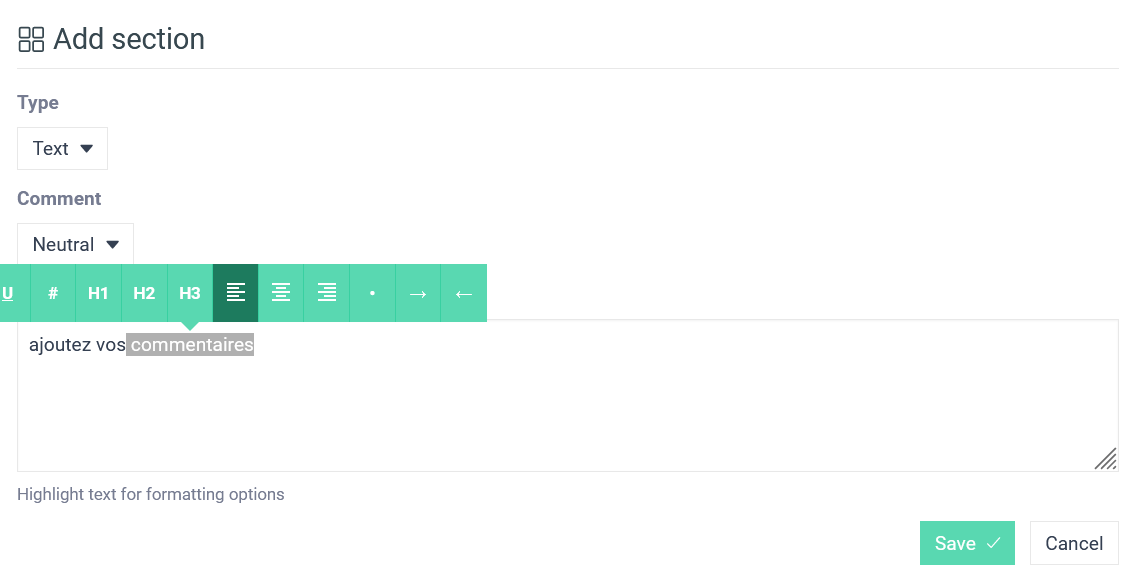
En créant une nouvelle section appelée *Text*, vous verrez la page ci-dessous apparaître.
Elle vous permettra d'ajouter les éléments suivants :
| *Type* | Modifier le type de section tout en gardant le(s) topic(s) associé(s). |
| --------------------------------------- | ------------------------------------------------------------------------------------------------------------------------------------ |
|
Comment
|
Permet de définir la couleur de fond. Neutral : gris Info : vert Warning : orange Danger : rouge No Background